The workflow a 100k-subscriber tutorial channel uses to answer every viewer question and thank-you note in about two and a half hours a week: what failed first, what stuck, and the exact steps.
If you want the workflow without the story: once a day, I open one inbox that shows every comment on my channel I have not replied to, newest first. For each one I either write a reply, ask for a draft in my own voice and edit it, or dismiss it as spam. Then I approve the replies I am happy with and post them, one click each. Total time: about 20 to 30 minutes a day, roughly 2.5 hours a week for about 200 comments. Nothing is posted that I have not read. Most days I do it on my phone, on the train or on the sofa, because it is a web app and every step is a tap: Draft, read, Approve, Post.
The rest of this post is how I got there, because the first three attempts failed. (The longer story of the channel itself is in nearly seven years on YouTube with a full-time job.)
The problem, in numbers
My channel is DevOps and cloud tutorials, 104,000 subscribers, and I have a full-time engineering job. Comments arrive on a back catalogue of a few hundred videos, so the volume has nothing to do with what I uploaded this week. It is about 200 a week, and the mix looks like this on a normal day:
- Technical questions: "step 4 fails with a 403", "does this work on Terraform 1.9", "how do I do the same on Azure". These need a real answer, and a real answer takes me about 3 minutes.
- Thank-you notes: "this got me through my interview". These deserve a reply too, and they take 30 seconds if I do not overthink them.
- Spam and scams: fake giveaways, accounts impersonating me, and the occasional "you look like Sundar Pichai". Skip.
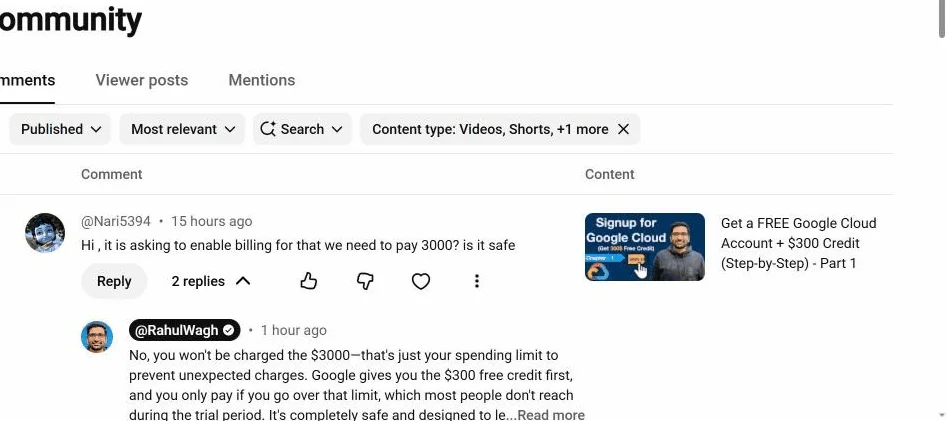
200 comments at roughly 3 minutes is 10 hours a week. That is the number that made me stop pretending I would catch up "this weekend".
Attempt 1: the Sunday hour
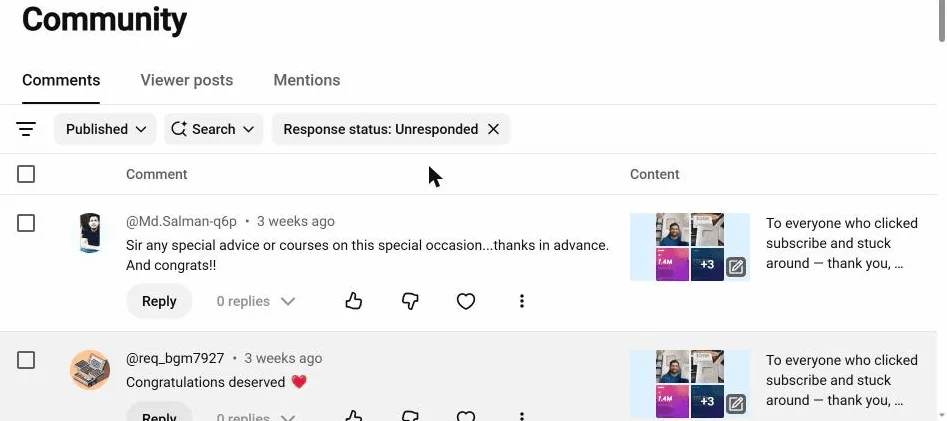
I blocked an hour every Sunday evening. It lasted three weeks. The problem was not discipline. Studio's "unresponded" filter shows the list, but every reply still has to be written from a blank box, and the list is sorted for recency, so in an hour I answered the newest 20 and never reached the ones from ten days ago, which were the ones already going cold.
Attempt 2: questions only
I decided to answer only technical questions and skip the thank-yous. It felt wrong within a week. Someone took the time to say a video helped them, and silence back is a small unkindness. It also turns out those people become the viewers who comment on the next video.
Attempt 3: saved replies
I wrote a few canned replies for the common cases. Viewers can tell. One even replied "did a bot write this?" to a message I had pasted. Worse than not replying.
What stuck: one inbox, and drafts in my own voice
Being an engineer, I eventually wrote a small script that did the two things Studio would not:
- List every comment on the whole channel with no reply from me, with the video and the date on each, and with a way to work through one video's backlog at a time. The first run found 155 of them, some from years earlier, which Studio's filter had never put in front of me because they sat at the bottom of the list. (How to find yours, with and without code.)
- Draft a reply for each one in my voice, using the comment and the video title, so that editing is faster than writing from a blank box.
Then I made one rule for myself and never broke it: nothing is posted unless I click Post on that specific reply. No auto-replies, no scheduling, no bulk button. A reply I have not read is not from me. And YouTube's spam and deceptive practices policy is not kind to channels that post in patterns; I went through exactly where the line is before building anything.
That script became ReplyDial, which is what I use now. Here is the actual daily loop.
The daily loop, step by step
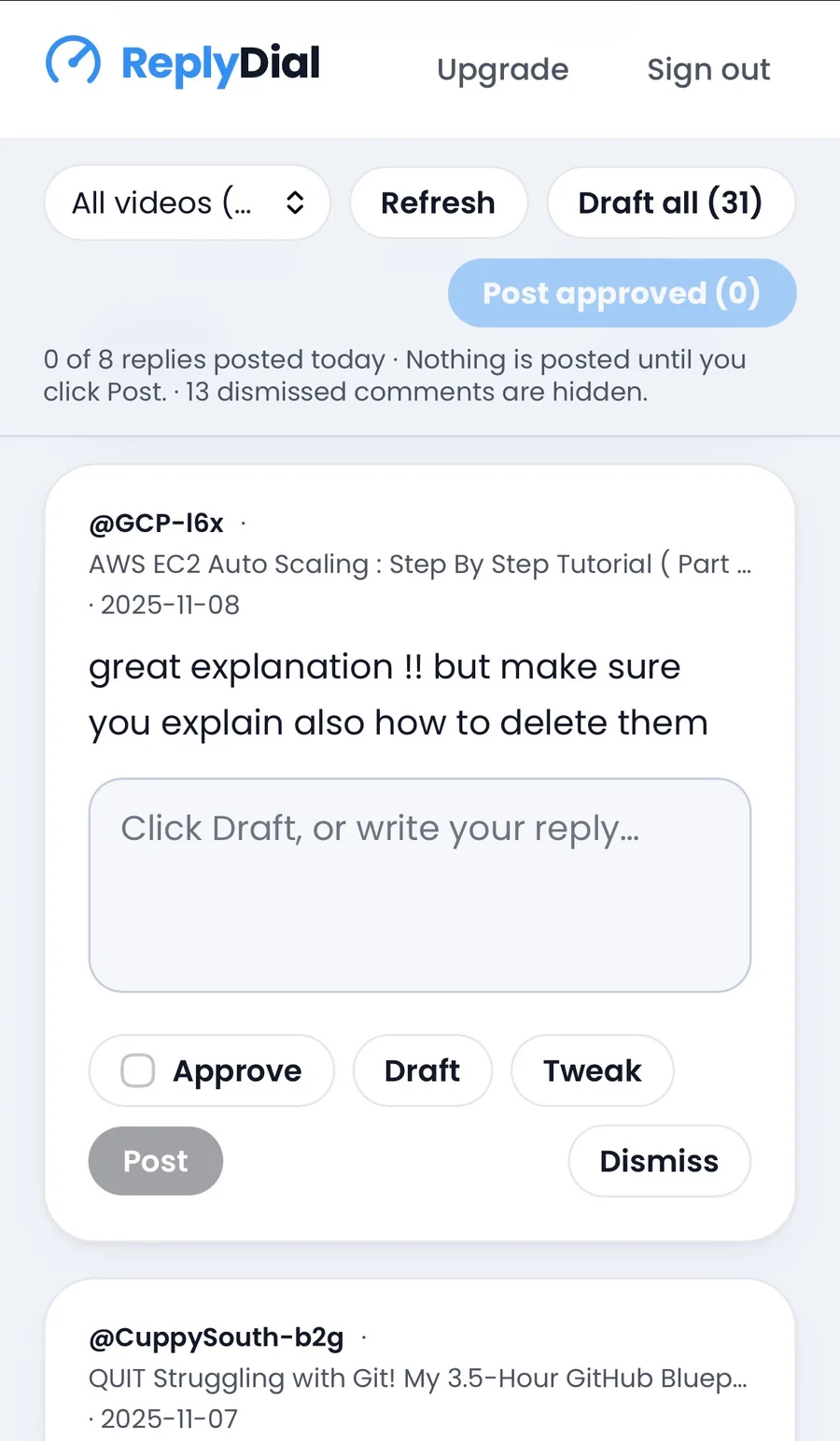
Step 1: open the inbox (2 minutes). It loads the newest unanswered comments across the channel and tells me how many it checked and how far back. If the newest stretch is clean, I check older ones with one click.
Step 2: triage in order (5 minutes). Spam and scams get dismissed and stay hidden. Comments that are not questions but deserve a word, I answer by hand in one line. That is faster than any draft.
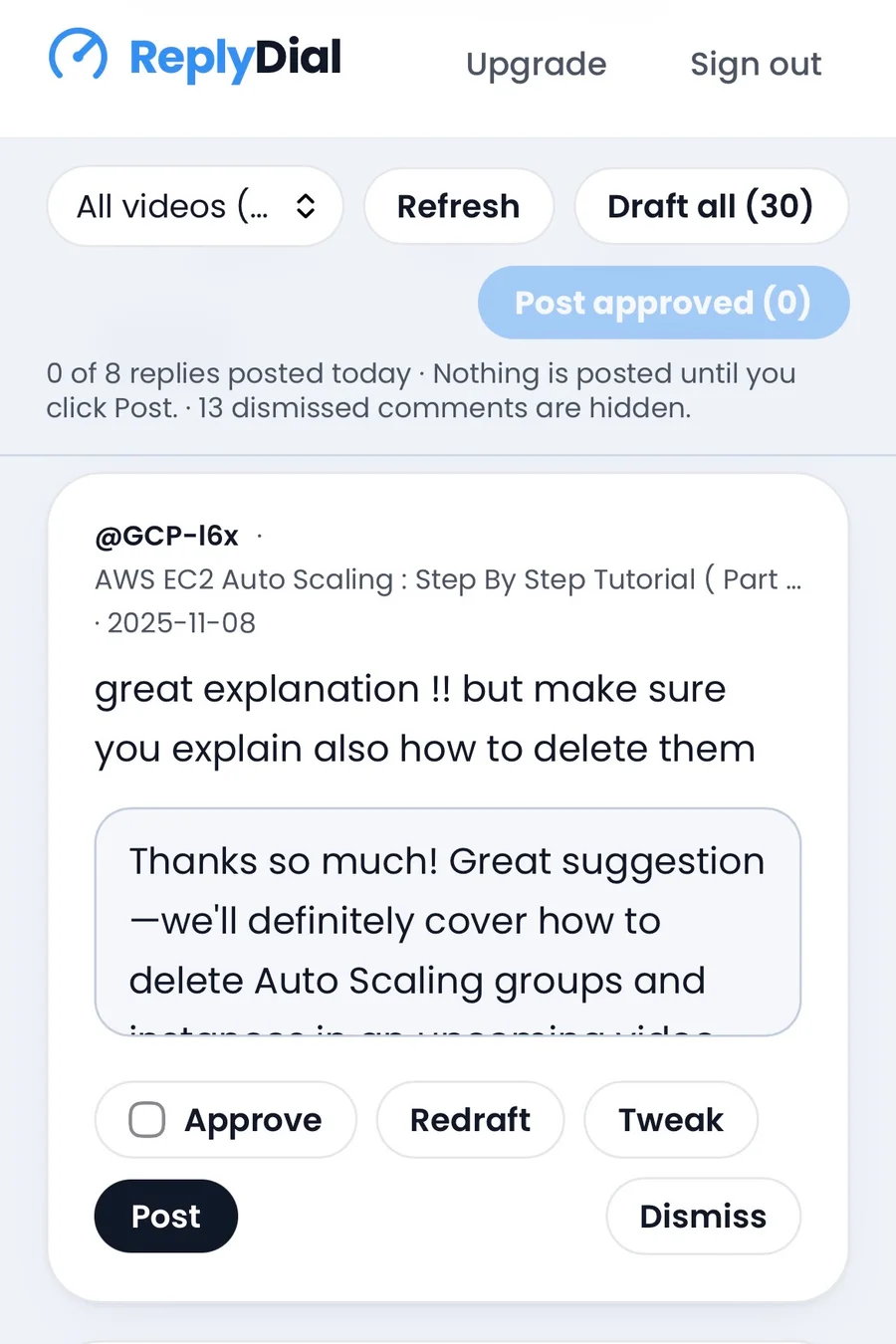
Step 3: draft the questions (5 minutes). For technical questions I click Draft. The draft knows the video title and my tone, so it usually gets the shape right (this is the main difference from Studio's own reply suggestions): acknowledge the issue, give the fix or the likely cause, point to the part of the video or the next part of the series. I edit about one in six. The ones it cannot answer well, it marks as skip and I write those myself.
Step 4: approve and post (5 to 10 minutes). This is the part I usually do on the phone. I tick Approve on the ones I am happy with, then post them. They go out one at a time with a short pause between them, and there is a daily cap. That is deliberate: a burst of 40 replies in ten seconds looks like a bot to YouTube, and it looks like a bot to viewers too.
Step 5: note the repeats (1 minute). If the same question came up three times this week, it goes in my ideas list. Half my videos started that way.
What changed after three months
- Time on comments went from about 10 hours a week, which I never actually spent, to about 2.5 hours, which I do.
- The backlog of old unanswered questions went to zero for the first time in years.
- Replies on old videos brought those videos back into the conversation. I cannot prove causation, and I will not pretend Studio gives me a clean before-and-after chart for it, but replies to my replies started appearing on tutorials that had been quiet for a year.
- I stopped feeling that low-level guilt every time I opened Studio.
Rules I would give any creator, tool or no tool
- Whole channel, not this week's video. The comments you are missing are on the old videos.
- Never let anything post without reading it. Not for policy reasons only. Your replies are your voice.
- Answer the thank-yous. Thirty seconds, and it is the difference between an audience and a view count.
- Space replies out. Bursts look like automation, because they usually are.
- Turn repeat questions into videos. The comment section is the cheapest research you will ever get.
Read next: I ignored my YouTube comments for years. Here is what it cost me.
This week, without any tool: in Studio, open Comments, set the filter to "I haven't responded", and go through your three most-viewed videos. That alone will surprise you.
If you want the whole-channel view: the free unanswered-comments checker counts what is waiting on your last 20 videos with no sign-in, and ReplyDial is the inbox described above, free for 7 days with no card.