YouTube Data API: which OAuth scope do you need to post a comment (and how to get it verified)
comments.insert and commentThreads.insert only accept youtube.force-ssl. There is no comment-only scope. Here is what that scope allows, how to ask for it late, what Google's verification actually checked for our app, the quota cost, and the code we use.
Short version: to post a comment or a reply through the YouTube Data API v3 you need the scope https://www.googleapis.com/auth/youtube.force-ssl. There is no narrower "comments only" scope. You cannot shrink the scope, but you can shrink when you ask for it, what you do with it, and how long verification takes. This is what I learned getting it verified for ReplyDial, which posts replies to YouTube comments.
The scope question
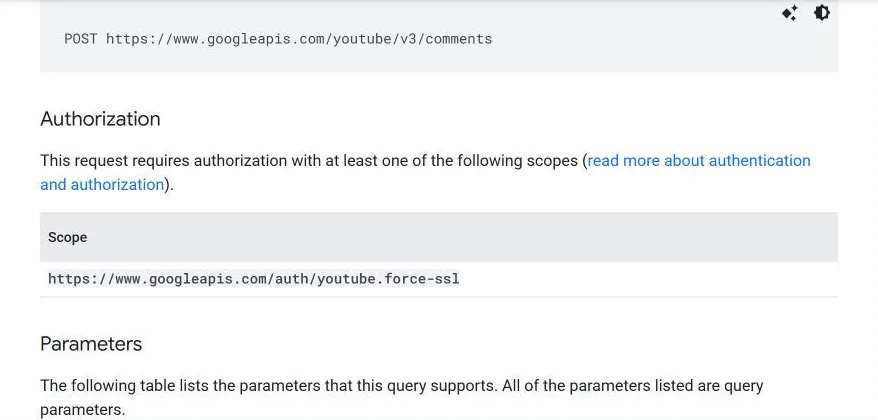
Both write methods list one scope in the reference docs:
comments.insert (reply to an existing comment): youtube.force-ssl
Google's reference page for comments.insert. One scope in the table, and it is youtube.force-ssl.
youtube.readonly cannot write. youtube and youtubepartner are broader, not narrower. So youtube.force-ssl is the smallest scope that can post, and yes, the same token could technically edit videos or delete comments. Google knows this. What they check in verification is whether your app actually stays inside what you told them.
You only need OAuth for the write
Reading public comments does not need a user at all. An API key is enough:
GET https://www.googleapis.com/youtube/v3/commentThreads
    ?part=snippet,replies&videoId=VIDEO_ID&maxResults=100&key=API_KEY
That costs 1 quota unit per page. Our free unanswered-comments checker runs entirely on this, with no sign-in. Keep the broad scope out of every flow that only reads.
(One exception: to read all threads of the signed-in user's own channel in one call, allThreadsRelatedToChannelId with OAuth is far cheaper than going video by video.)
Ask for it late
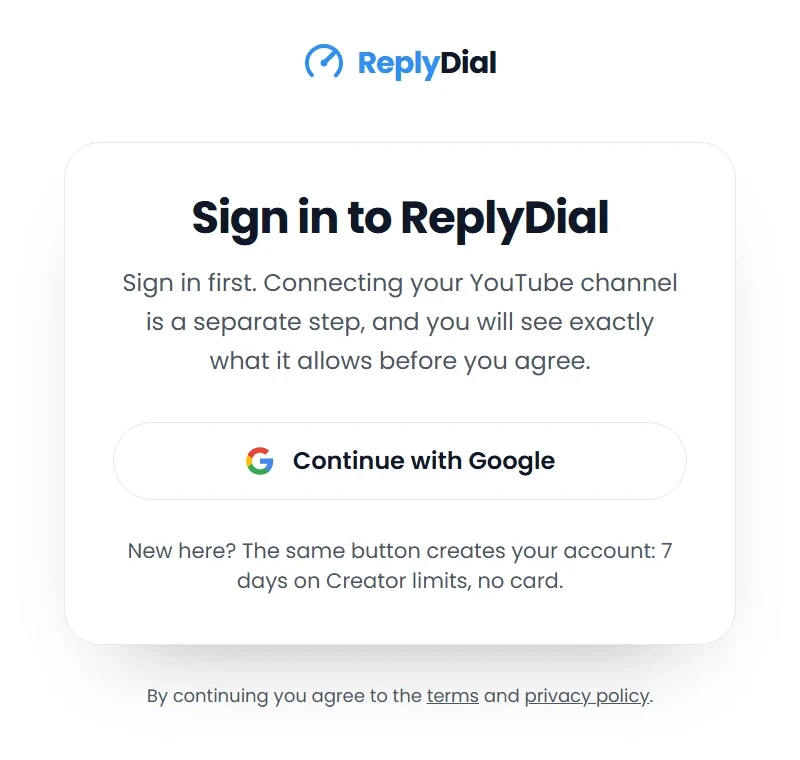
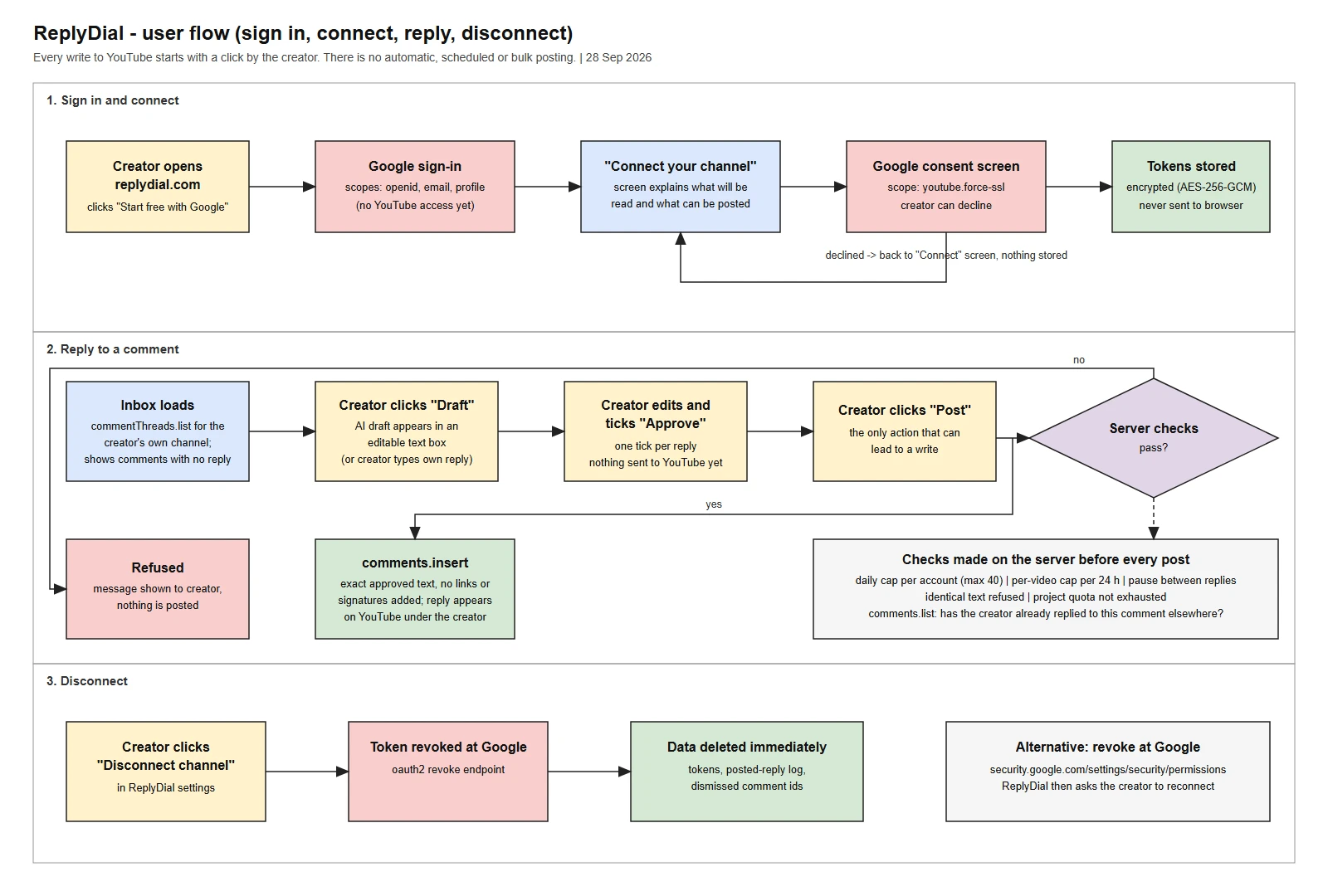
Sign-in and YouTube access are two separate consent steps in our app. Sign-in asks for openid email profile only. The YouTube scope is requested later, when the user clicks "Connect channel", with incremental authorization so the earlier grant is kept:
Step one in ReplyDial: sign-in only. The page says up front that connecting YouTube is a separate step.
const params = new URLSearchParams({
  client_id: GOOGLE_CLIENT_ID,
  redirect_uri,
  response_type: "code",
  state,
  scope: "openid email profile https://www.googleapis.com/auth/youtube.force-ssl",
  access_type: "offline",          // we need a refresh token
  prompt: "consent",               // so Google returns one every time
  include_granted_scopes: "true",  // incremental authorization
});
const url = `https://accounts.google.com/o/oauth2/v2/auth?${params}`;
Two practical notes. Without prompt=consent, a user who reconnects gets no refresh token, and your app stops working for them when the access token expires an hour later. And show your own explanation screen before the Google one: reviewers look for it, and users cancel less.
The flow we sent to Google with the quota request: sign-in scopes first, our own explanation screen, then the youtube.force-ssl consent, and one click per posted reply.
It is a sensitive scope, not a restricted one
This matters for cost and time. YouTube scopes are in Google's sensitive category. You need OAuth app verification (brand, scope justification, demo video). You do not need the third-party security assessment that restricted scopes (Gmail, Drive full access) require.
What we submitted:
Home page, privacy policy and terms on the verified domain.
A scope justification that named the exact endpoints we call: commentThreads.list, comments.list, channels.list?mine=true, videos.list, and comments.insert. And the things we do not do: upload, edit or delete videos, manage playlists, moderate or delete comments.
An unlisted demo video: sign-in, our explanation screen, the Google consent screen with the client ID visible in the address bar, the feature, the posted reply on youtube.com, and disconnect.
Branding was verified first. The youtube.force-ssl scope was verified two days after we submitted the video. I had planned for two to four weeks. The things I think made it fast: the consent screen shown in English, the client ID readable in the video, and a justification that said why youtube.readonly is not enough.
Users must have final control over what is published, and you may not alter what they wrote (III.C.3).
The user must expressly consent to each write action before it runs (III.E.3.4).
No automated comments without the user's prior specific and express consent (III.I.2).
In practice: one click per posted reply, send the text exactly as approved, no appended signature or link. I wrote about where that line sits for creators in Automate YouTube comments: what is allowed.
Also give users a real disconnect. Ours revokes at Google and deletes the stored tokens:
Store refresh tokens encrypted, never send them to the browser, and say so in the privacy policy.
Quota: the part that bites later
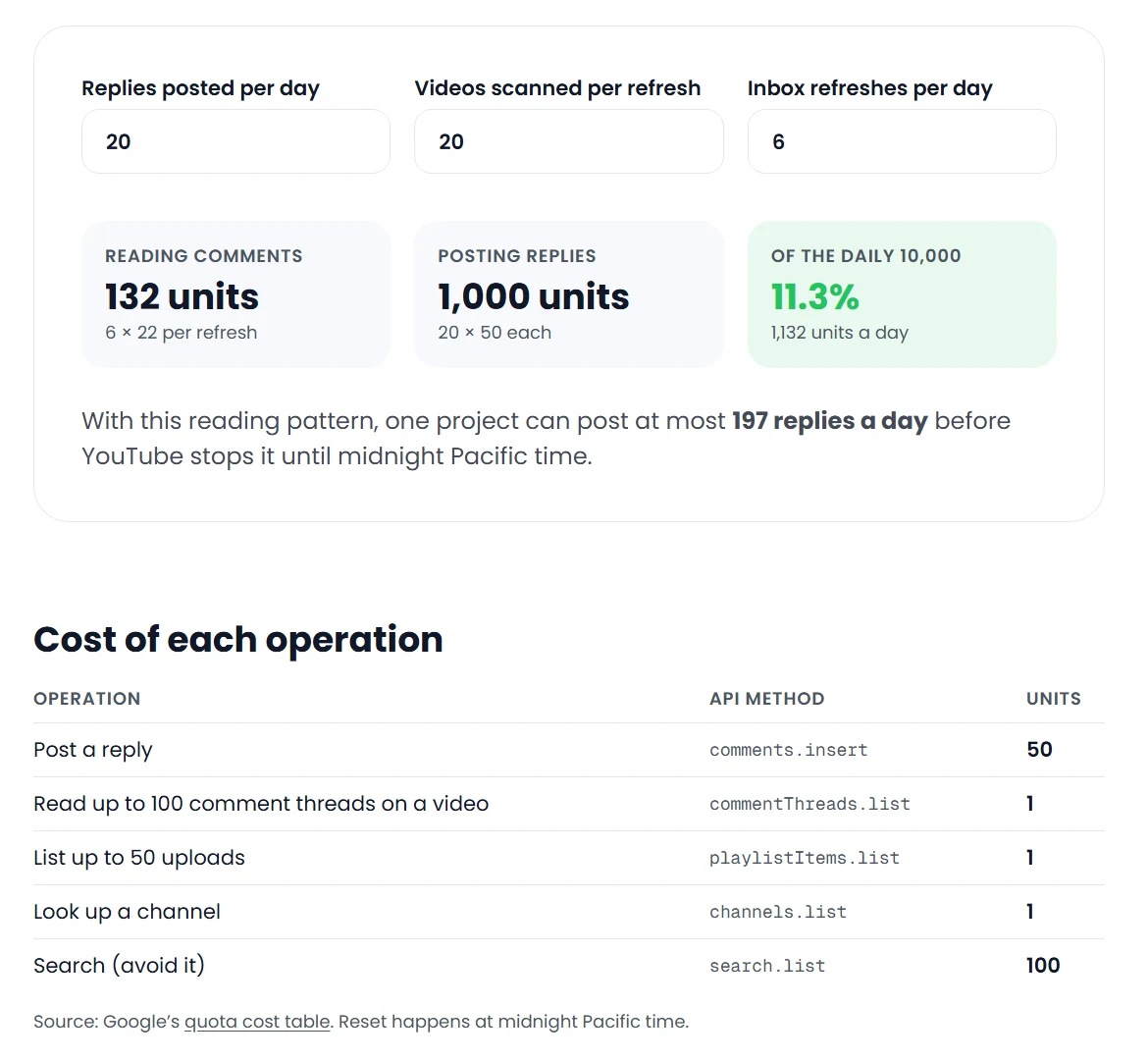
comments.insert costs 50 units. The default project quota is 10,000 units a day, so about 200 posted replies a day across all your users. Reads are 1 unit. If your tool posts for many users you will need the quota extension form (a separate audit from OAuth verification). You can model your own numbers with the YouTube API quota calculator. The full picture, with real numbers from our ledger, is in YouTube API quota for creators.
The quota calculator with 20 replies a day: 1,000 units for posting against 132 for reading. Posting is where the budget goes.
Checklist
Read with an API key wherever the data is public.
Separate sign-in from the YouTube consent; request youtube.force-ssl only when the user connects a channel.
Write the scope justification as a list of endpoints you call and things you never do.
Demo video with the consent screen in English and the client ID visible.
One user click per write, text sent unmodified.
Disconnect button that calls the revoke endpoint.
Plan for 50 units per posted comment.
If you are a creator rather than a developer and just want the replies posted: that is what ReplyDial does with this scope, one approved reply at a time.
See your own unanswered comments
ReplyDial lists every comment on your channel still waiting for a reply, drafts answers in your voice, and posts only what you approve. Free for 7 days on Creator limits, no card.
Comments missing in YouTube Studio? Eleven causes checked on a real 104k channel in October 2026: held status, filters, sort, Viewer posts, Search, settings.
40 of my real YouTube replies, verbatim, from 629 answers on five videos, grouped by situation, with the numbers behind them and what broke when AI wrote them.
Six places YouTube comments hide: the Held filter, Most relevant sort, follow-ups in answered threads, the bell, Shorts and posts, old videos. My 104k channel.