How-to
Pinned comment ideas for YouTube that actually get clicks
What my pins earned on a 104k channel: a missing link at 31 likes, a GitHub link at 16, a product plug at 0. Six pins that work and three that do not.
19 October 2026 · 16 min read
Blog · How-to
How 45 requests and 47 how-to questions in 964 real comments became a video list: the counts, the clusters, the one that became a 31-like video, and the method.
By Rahul Wagh·· 16 min read
Your comment section already contains your next ten videos, written by the people who will watch them. On my channel, 964 recent viewer comments across five videos held 45 explicit requests ("please make a video on"), 47 how-to questions, 23 error reports that repeat, and one topic word ("private", 79 times across the five videos, 26 comments on the VPC video alone, 18 of them next to "subnet") that told me which concept the viewers of one video were stuck on. The method is not inspiration. It is counting: export the comments, group what repeats, pick the group with the most people in it, and make that.
I run a 104,000-subscriber DevOps tutorial channel with a full-time job, so I do not have time to guess what to make. For seven years the comments have been my research department, and the best video I have made from them, a NAT gateway tutorial that a viewer complaint demanded, is linked from a pinned comment with 31 likes. On 19 October 2026 I exported the newest 200 comments and replies from my five most popular videos and did the counting in public. This post is the data, the clusters, what I made and did not make from them, and the exact steps.
The export covers the AWS VPC, EC2 course, IAM, Helm and Ansible videos, newest 200 top-level comments each plus replies, my own replies removed.
| Signal | Count | Share | What it is worth |
|---|---|---|---|
| Explicit requests ("please make", "can you do", "video on") | 45 | 5% | The obvious list |
| How-to questions ("how do I", "how to", "how can") | 47 | 5% | Videos people need and did not think to ask for |
| Questions of any kind | 171 | 18% | The pool |
| Error reports ("error", "403", "permission denied") | 32 | 3% | The "before you start" section, or a troubleshooting video |
| Version and year questions | 12 | 1% | The re-record list |
| Course and buying questions | 33 | 3% | Not a video idea; a sales conversation |
| "Thank you" | 312 | 32% | Not a video idea; still worth a one-line reply |
A hundred and twenty-four comments, the first four rows, are people telling me what to make. The other 840 are the audience being kind or being stuck, which has its own value and its own post. The rest of this one is about the 124.
I searched the 964 comments for request phrases and read every match. Forty-five were real requests. Grouped by topic, with how many comments asked:
| Topic asked for | Comments | Example, verbatim |
|---|---|---|
| A full real-world project (end to end, "production", "real time") | 5 | "Please do more complex projects using : VPC and its resources, Load balancers, migration, Security (waf), Serverless" |
| Databases: RDS, DynamoDB, Aurora, Redshift | 4 (RDS), 3 (DynamoDB) | "sir make a video on AWS databases like Aurora, DynamoDB, Redshift, RDS and container like ECS, FARGATE, EKS" |
| EKS and ECS | 4 | "Can you cover ecs and eks in details sir?" |
| Ansible, more of it | 4 | "Waiting for the next part" |
| NAT gateway | 3 | "you actually didnot cover nat but it's in the title" |
| Linux from scratch | 1 | "Sir please make a full video about linux." |
| Getting a job as an AWS fresher | 1 | "Please make a vedio on AWS freshers how to get a job" |
| MLOps | 1 | "do a video on mlops zero to hero i request u" |
| CloudWatch, VPN gateway, Elastic Beanstalk, S3 in depth, Session Manager instead of key pairs, migration EKS to Fargate, microservices on Kubernetes, IAM audit logs | 1 each | "How to check who is creating an IAM user. please make a video on that" |
And the single most-liked request on the channel, 80 likes, under the EC2 course, is not a topic at all:
Please dont stop creating AWS videos. You teach both the architectural as well as practical implementations. I am learning so much from you.
Eighty people agreed with "do not stop" and nobody asked for anything in it. That is a request too: for the format, not a subject. The 5-hour architectural-plus-practical course is what they want more of, and the shorter "quick tip" videos I was tempted to make instead would have answered a request nobody made.
A request with one like is one person. A request with ten likes is eleven, and the ten did not have to type anything. On my channel the like count is the most reliable signal of demand I have, because it is the only one that counts the silent majority. The 80-like "don't stop" comment is the loudest thing on the EC2 course and nobody but its author wrote a word.
The second most-liked viewer comment on the Ansible course is a compliment, 40 likes, "one of the most underrated teacher online, love his terraform, aws content already". Not a request on its face. Read as a vote, it says: the people who like Ansible from me also want Terraform and AWS from me, which is a cross-topic signal that the request list alone would never show. The pinned GitHub link on the same video has 16 likes, which is sixteen people saying the code mattered enough to click a thumb.
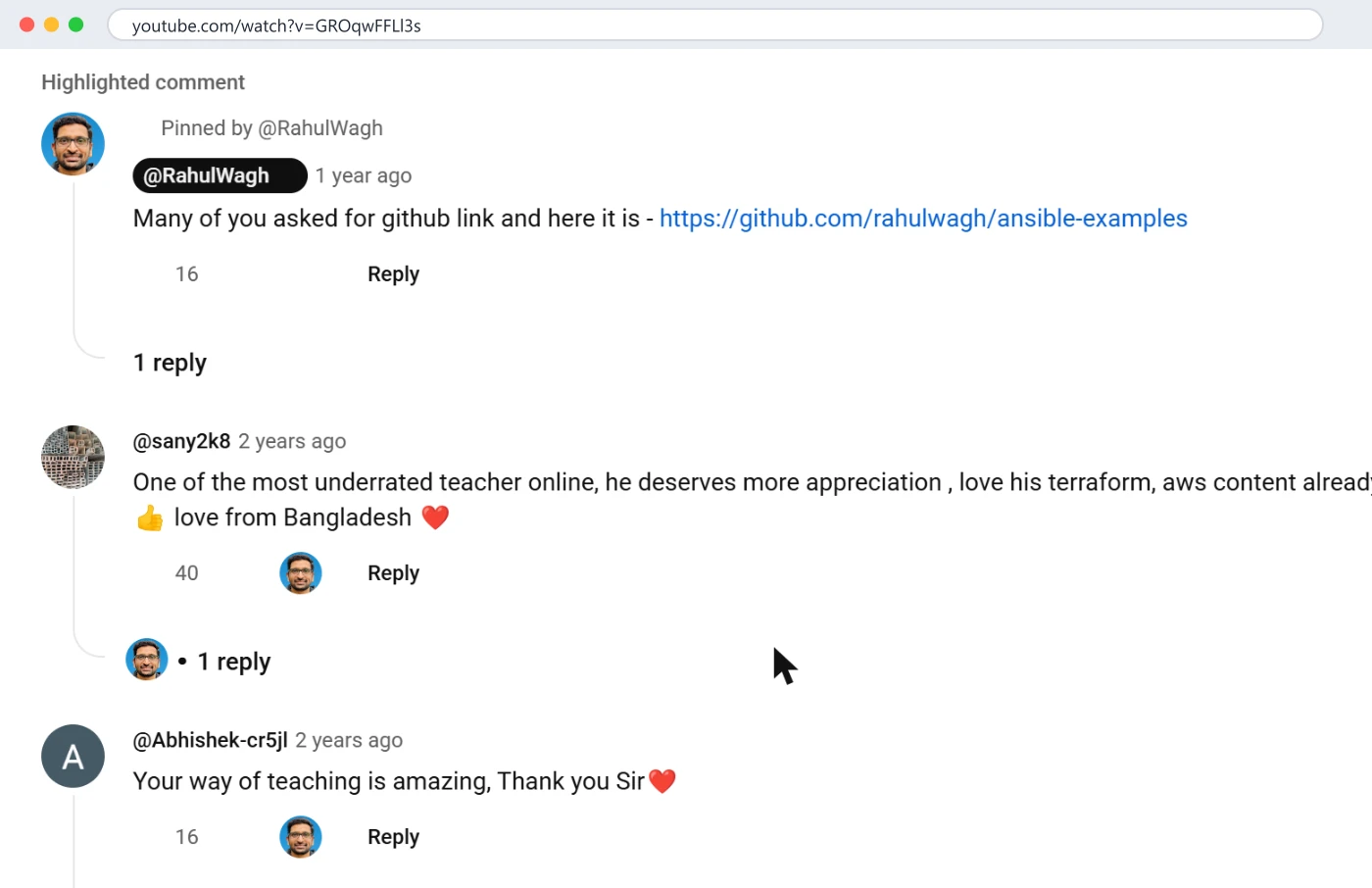
So the sort order in the export that matters most is likes, descending, on viewers' comments only. The top ten by likes on each video are the ten comments the audience has already voted on, and on a tutorial channel at least half of them are either a request, a gap, or a correction. The rest are thank-yous, which is fine; those are the votes for "more of the same".
Requests are what people know they want. How-to questions are what they need. Forty-seven comments start with "how do I", "how to" or "how can", and most of them are not asking for a video; they are stuck. Grouped:
The pattern across all five videos: the requests cluster around the next big topic (databases, EKS, projects), while the how-to questions cluster around the step in the current video where people fall off. Both are video lists. The second one is cheaper to make and converts better, because the viewer is already on your channel and already stuck.
The VPC video, published October 2023, promised NAT in the title and did not cover it; I ran long and cut the section. On 10 May 2024 a viewer wrote: "you actually didnot cover nat but it's in the title, that's misleading." Nine people liked that. Nine other comments in the export mention NAT in their own words, and the word "private" appears in 26 of the VPC video's viewer comments, 18 of them next to "subnet".
I had, by then, made the NAT video separately. The same day I replied with the reason and the link, and pinned a top-level comment with the link. The pin has 31 likes on 19 October 2026, more than three times the complaint.
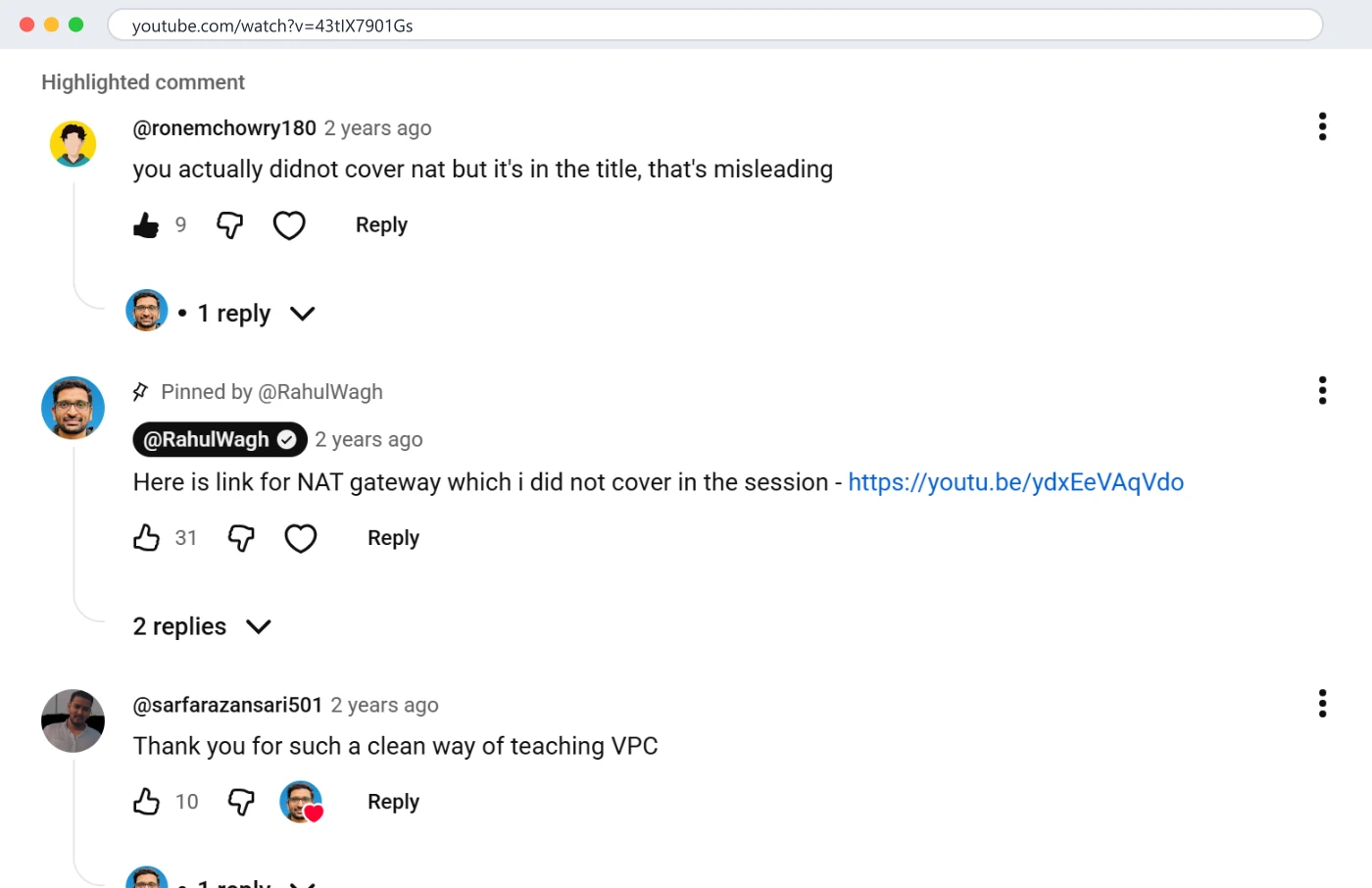
What I want you to take from that: the video idea did not come from a brainstorm. It came from a complaint, confirmed by a count. The complaint told me the gap; the 26 comments about the private subnet told me how many people were in it.
Honesty about the table. Four requests for RDS and three for DynamoDB, and there is still no database course on the channel in October 2026. A viewer asked for it in March 2024 and got "Sure it is on my list and I need to find the time to prepare", which was true and is still true. The request count is not the only input: a database course is thirty hours of preparation around a day job, and the EKS requests compete with it. Counting tells you what the audience wants most; it does not make the time.
Two things help. First, a pinned question (I covered pins in pinned comment ideas that get clicks): "RDS or EKS next?" turns seven scattered requests into a vote and tells the people who asked that they were heard. Second, the how-to list above is the cheap list: four-minute answers to the step people fail on, which can ship in a week, while the thirty-hour course waits for a holiday.
The MLOps request, the Linux request and the "AWS fresher job" request are single comments. One person asking is not a video; it is a reply. I answered each in a line and moved on. The threshold on my channel is three independent comments on the same topic, or one comment with more than ten likes.
Putting the two lists together with the cost of each, this is the queue the export produced on 19 October 2026. I include it because a method that ends in "then decide" is not a method.
| Candidate | Evidence from the comments | Cost to make | Decision |
|---|---|---|---|
| "Before you SSH": key file, chmod, path, the three errors | 4 stuck viewers in the newest 200 EC2 comments; the same under older pages | 4 minutes to record | Make this week; pin it under the EC2 course |
| NAT gateway (already made) | 9 mentions plus 26 private-subnet comments on the VPC video | Done | Keep pinned; the pin has 31 likes |
| What changed since 2023 in the console | 12 version and year questions across five videos | 10 minutes per video | Make for VPC and EC2 as short updates; pin them |
| Same VPC, in Terraform | "how do I do this in production" under VPC and EC2 | 30 minutes | Next month; bridges the beginner series to the Terraform series |
| IAM: who did what (CloudTrail) | 1 request plus several how-tos on auditing | 20 minutes | Next month |
| Databases course (RDS, DynamoDB, Aurora) | 7 requests, the most asked topic | 30 hours | On the list; pinned vote first |
| EKS and ECS in depth | 4 requests | 20 hours | On the list; competes with databases |
| Full real-world project | 5 requests, and the 80-like "don't stop" is about this format | 40 hours | The next big one, after the vote |
| Linux from scratch, MLOps, "how to get a job" | 1 request each | Varies | Replied in one line; not planned |
Three things to notice. The top of the queue is cheap, specific and came from the how-to list, not the request list. The bottom is expensive and came from the request list. And the single most-liked comment on the channel points at a format, which is the kind of thing a keyword tool cannot tell you and a count of likes can.
What I actually do, once a month, about 20 minutes, mostly on the phone.
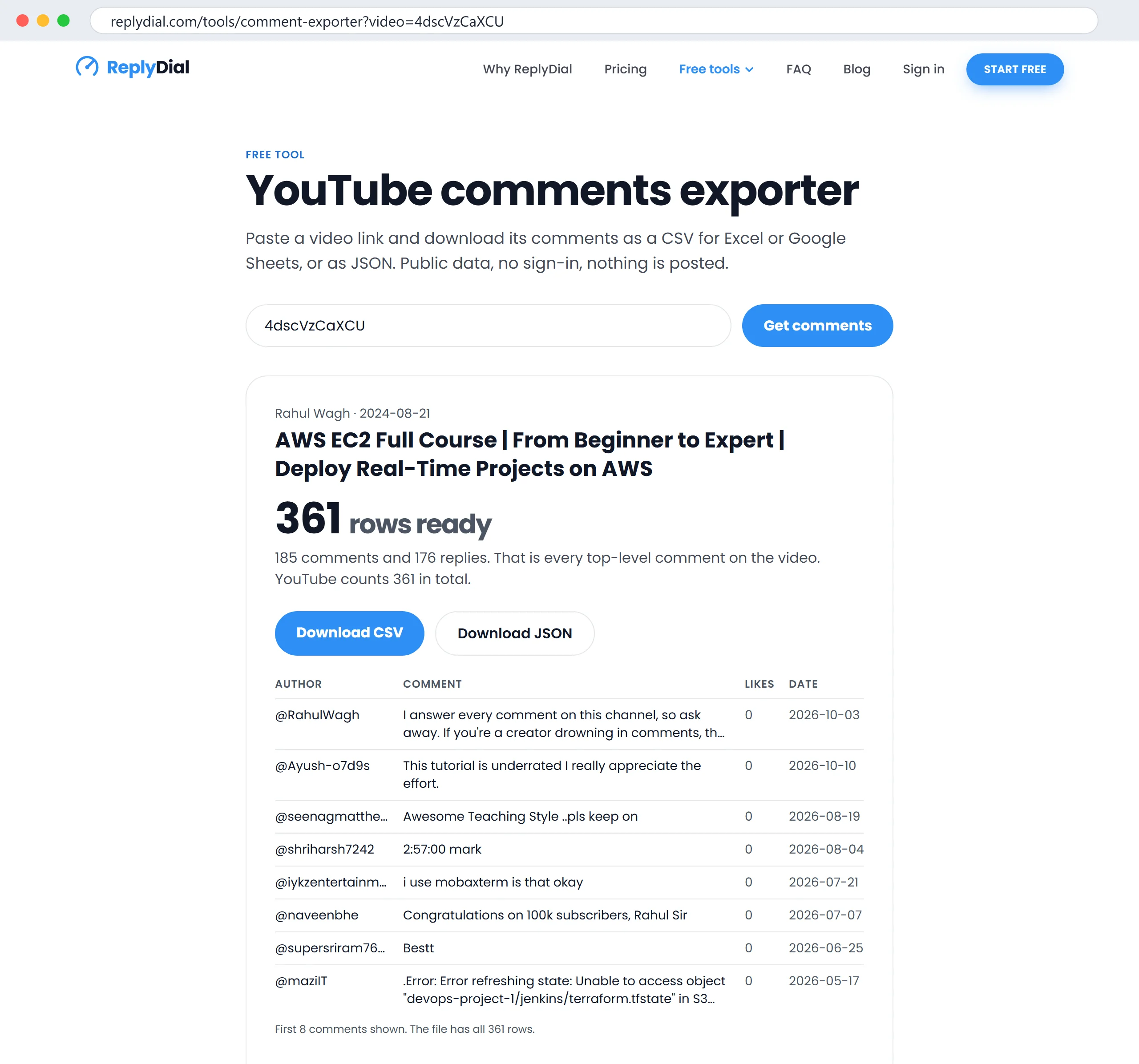
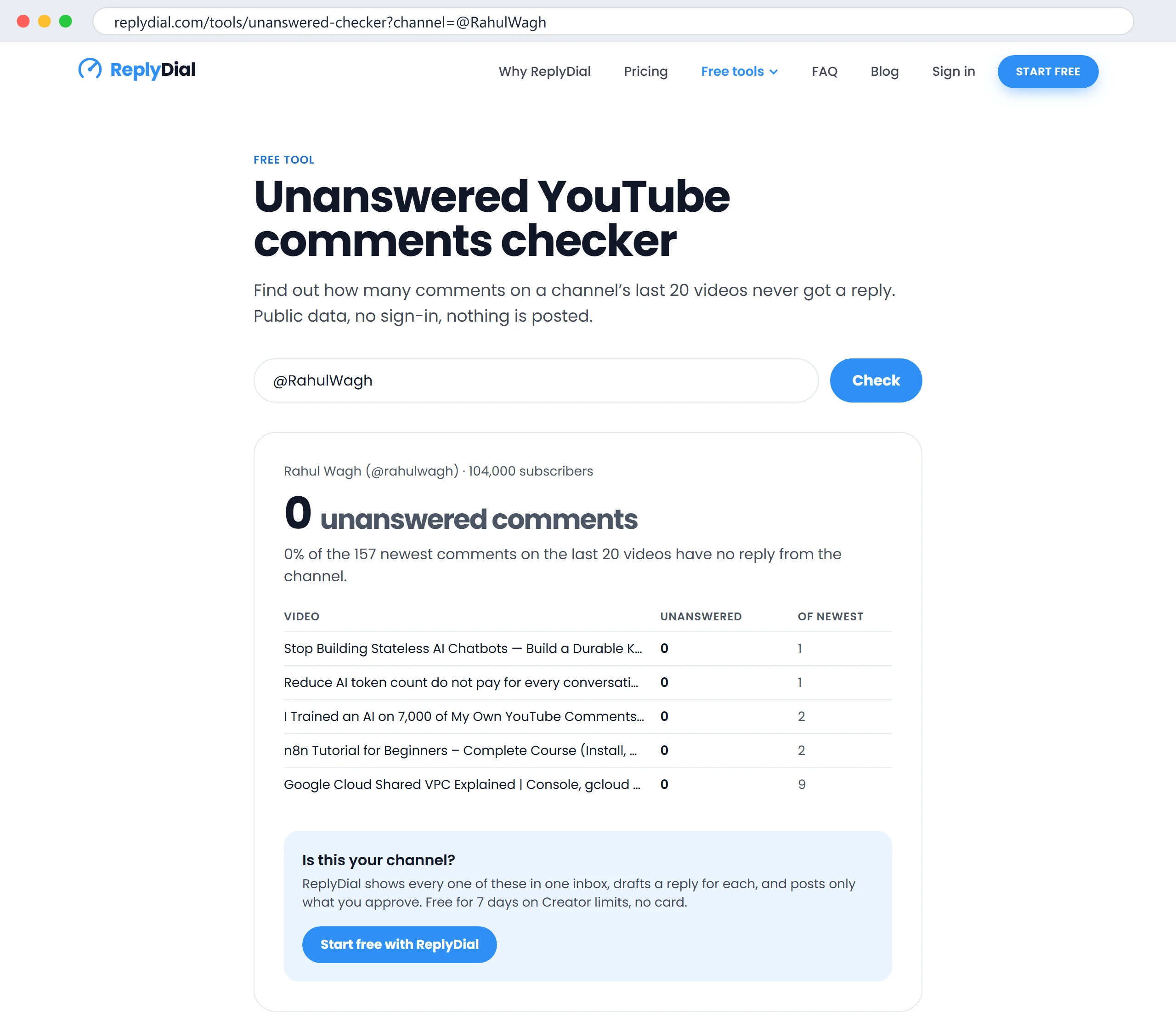
=COUNTIF(F:F,"*how to*") and its siblings do the counting; I listed the formulas in how to search your own YouTube comments.On 6 October 2026 I ran a read-only scan of 33 established creator channels, teaching channels and course sellers, and the free checker read the newest comments on each. Three in four had no reply from the channel. The part relevant here is what those unanswered comments contained: on the teaching channels the same three kinds I get, "step X fails", "does this work with version Y", and requests for the next topic. On one 280,000-subscriber channel, 39 of 1,296 recent comments were people asking how to buy, join or get a link.
Those channels are sitting on the same research I am describing, unread. Every unanswered "how do I" is a video nobody is making, and every unanswered "please cover" is a vote nobody is counting. The method in this post costs twenty minutes a month. The alternative, which most of the 33 are running, costs the next ten videos.
The counting produces a list longer than you can record, and every request on it is a person waiting. The reply is part of the method, because a request that gets no answer is a viewer who stops asking. Three shapes from my own replies, verbatim from the export:
To a request I intend to make, with no date: "Sure it is on my list and I need to find the time to prepare" (RDS and DynamoDB, March 2024; still true, still on the list).
To a request that needs narrowing: "Thanks Sandeep surely i will add it to my list but what exactly in ELK stack you are looking for live project or a course from zero to hero?" (March 2024). The question back turns a vague request into a brief, and the viewer's answer is a vote with detail.
To a request that is already done: "@manojkumar-jt3fw it's live now" (August 2024, the day after the ask). The best reply is the thing itself, and the second best is a date.
What I do not write: "great idea, stay tuned". It promises nothing and the viewer knows it. A plain "not planned" is better than a vague yes, and "on the list" is only honest if there is a list, which is why the spreadsheet in the FAQ below exists.
Keyword tools tell you what people search for on YouTube in general. Comments tell you what the people who already watch you are stuck on, in their words, with a like count attached that says how many agree. "Private subnet internet access" is not a phrase a keyword tool would have ranked high for me; it is the phrase my viewers typed, under my video, in 26 comments. The NAT video it produced is reached by people who were already on my channel, already following the series, and already had the problem. That is the audience the recommendation system is trying to serve, in YouTube's own words: videos your audience is likely to watch next.
Use the keyword tool for the title of the video. Use the comments to decide which video.
Enough to see a repeat. On a video with 30 comments, two people asking the same thing is a signal; on a video with 300, you want five or more, or a single comment with ten likes. Under 30 comments, read them all; the counting is for when you cannot.
Then ask. A pinned question ("what should I cover next: A, B or C?") produces answers, and the replies have like counts you can read as votes. My 80-like "don't stop" comment had no topic in it; a pinned question on the next upload is how I turn that goodwill into a list.
No. The count tells you demand; you still decide. What I do with a request I will not make is say so in one line ("not planned, sorry, here is the closest thing I have") so the viewer is not left waiting. The database course is not a bad idea; it is a costly one, and the honest reply is "on the list".
The requests row works everywhere: people tell vloggers, reviewers and musicians what they want next, in the comments, constantly. The how-to row is specific to channels that teach. The error row is specific to channels where viewers follow along. Take the rows that apply.
Partly. Studio's new describe-it search can pull "comments asking for a video" into one list, with the accuracy caveat it prints itself. A comment inbox that reads the whole channel can show every question in one place, which is what I built mine to do. The grouping by topic is still a human five minutes, and it is the five minutes that matter.
A spreadsheet with four columns: topic, number of comments asking, total likes on them, date first asked. Add to it monthly from the export. When a row crosses three comments or ten likes it is a candidate; when you make the video, write the link in a fifth column and reply to every row's commenters with it. Mine has eleven rows after this export and two of them are already made.
What to do this week, no tool needed: open your most-commented video, read every comment that contains "how", and write down the step people get stuck on. Make a four-minute video about that step, pin it under the original, and reply "it's live now" to each of the people who asked.
ReplyDial shows every unanswered comment across your channel in one inbox, questions marked, so the repeat requests are visible without an export; the free comment exporter gives you the same data one video at a time with no sign-in.
ReplyDial lists every comment on your channel still waiting for a reply, drafts answers in your voice, and posts only what you approve. Free for 7 days on Creator limits, no card.
7 days on Creator limits, no card. Nothing is posted without your click. See the privacy policy.
How-to
What my pins earned on a 104k channel: a missing link at 31 likes, a GitHub link at 16, a product plug at 0. Six pins that work and three that do not.
19 October 2026 · 16 min read
How-to
Studio's new AI search, the exact-match trick, a free export to a spreadsheet, and the API. What searching 964 real comments on my channel found, with numbers.
18 October 2026 · 16 min read
How-to
Held for review on YouTube, from a real channel: what Basic and Strict hold, where held comments sit, the 60-day deadline, what the four buttons do.
17 October 2026 · 16 min read